Android phones vary much more than iPhones. Some flagship Samsung Galaxy phones are rated IP68, many mid-range phones are only splash resistant, and some budget phones have no water resistance rating at all. Yet the symptoms of a wet speaker are the same on all of them: quiet, crackly or muffled audio, and sometimes a buzzing sound at higher volumes.
The fix is also largely the same. This guide uses Samsung as the main example, because it is the most common Android brand, but the steps apply to Pixel, Motorola, Vivo, Oppo, Realme and most other Android phones.
Step 1: Get the phone out of danger
- Remove it from the water and switch it off if it was fully submerged and you do not need it right now. A phone that is off has less current running through wet parts.
- Take off the case and remove the SIM tray only if your phone’s manual says it is safe to do so while wet. On most modern phones the tray has its own seal, and you can leave it in.
- Wipe the outside with a soft, dry cloth, especially around the bottom edge.
If it was just a splash, you can leave the phone on. You will need it on to play the cleaning tone anyway.
Step 2: Understand the “Moisture detected” warning
Samsung Galaxy phones have a sensor in the USB-C port. When it detects moisture, you see a warning with a water drop icon and the phone refuses to charge through the cable. This is a safety feature, not a fault. Charging a wet port can cause corrosion and short circuits.
Do not try to get around it. Leave the phone to dry, and the warning goes away by itself once the port is dry. If it persists for many hours after the phone is clearly dry, the port may have lint or residue in it, which is a different problem.
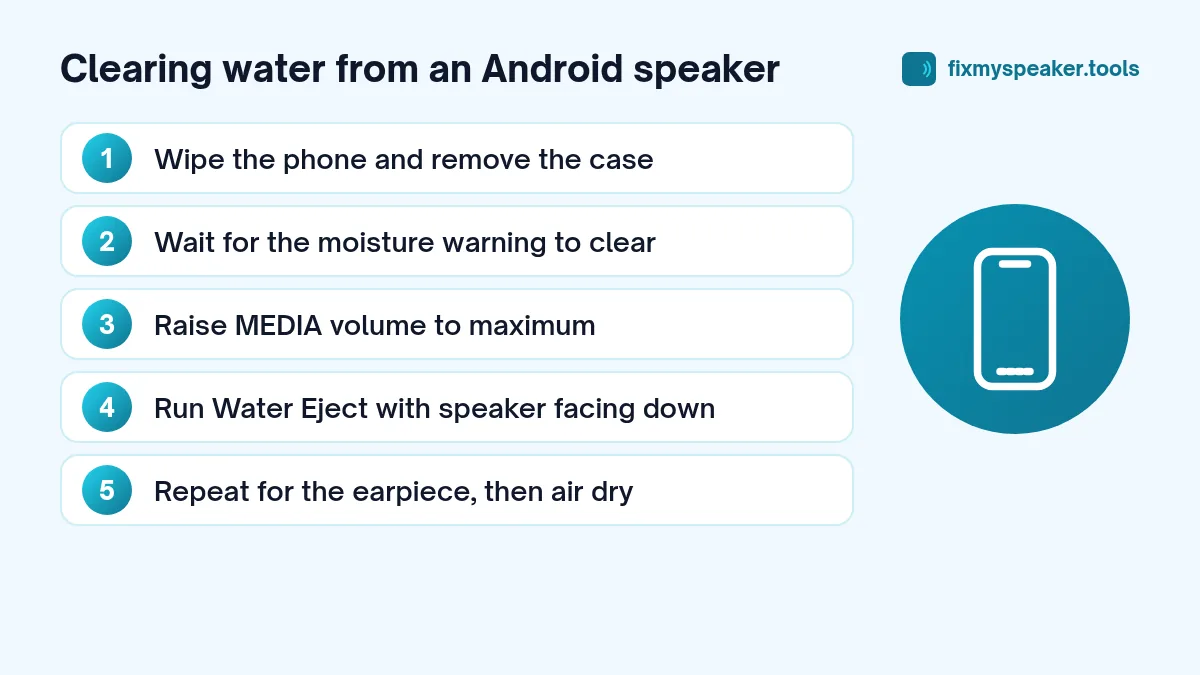
Step 3: Push the water out of the speaker with sound
Android has no standard built-in “water eject” button, although a few manufacturers include one (see our Redmi and Xiaomi guide). A web tool works on any phone with a browser.
- Open the Fix My Speaker tool in Chrome, Samsung Internet or any other browser.
- Turn the media volume to maximum. On Samsung, press a volume key and expand the panel to make sure you are raising media volume, not ringtone volume.
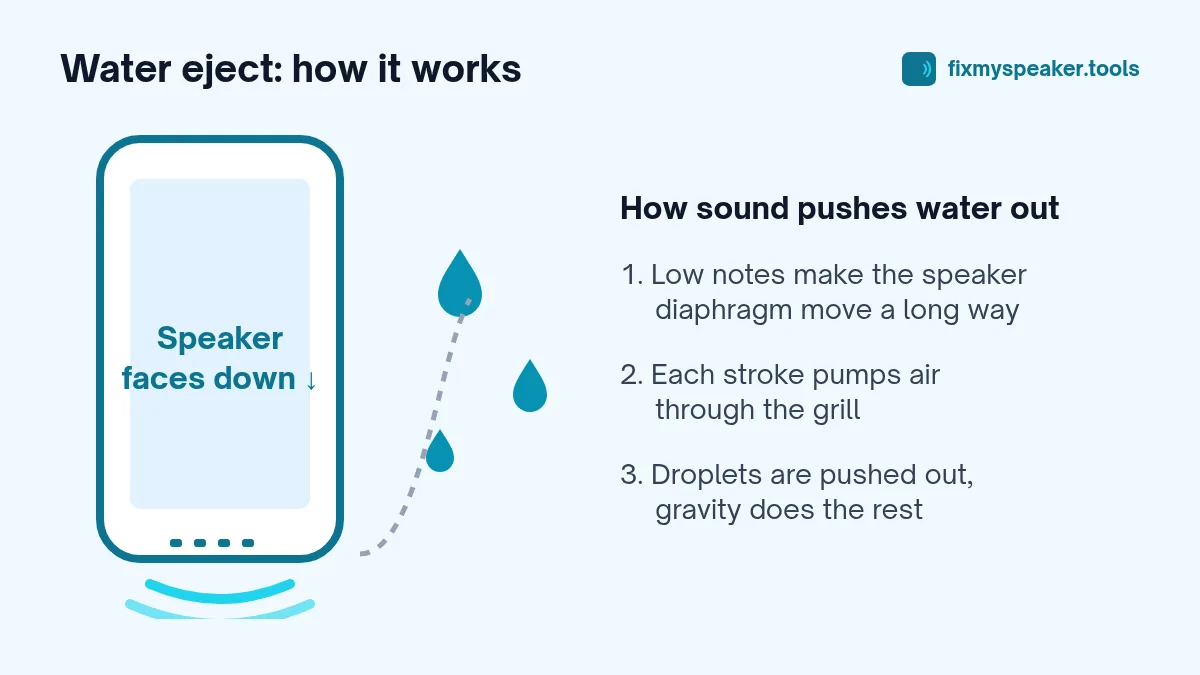
- Hold the phone with the bottom speaker facing down.
- Tap Eject Water and let it run.
- Wipe the grill, then repeat if needed.
Many Galaxy phones use the earpiece as a second speaker for stereo sound. If calls or stereo audio still sound off, turn the phone so the top edge faces down and run the tool again. The Stereo Test mode will tell you whether the left and right channels sound the same.
Why a low tone works
At 165 Hz the speaker diaphragm moves back and forth with a large stroke. That movement pushes air, and the water sitting in the grill, out through the opening. It works best on water that is trapped near the surface, which is exactly where splash water ends up. You can read a more detailed and honest explanation in does 165 Hz really work.
Step 4: Dry the rest of the phone
Leave the phone in a dry room, ideally in moving air from a fan. Place it with the ports facing down so gravity helps. Give it at least a few hours after a full dunk, and don’t rush the charge.
Things to avoid:
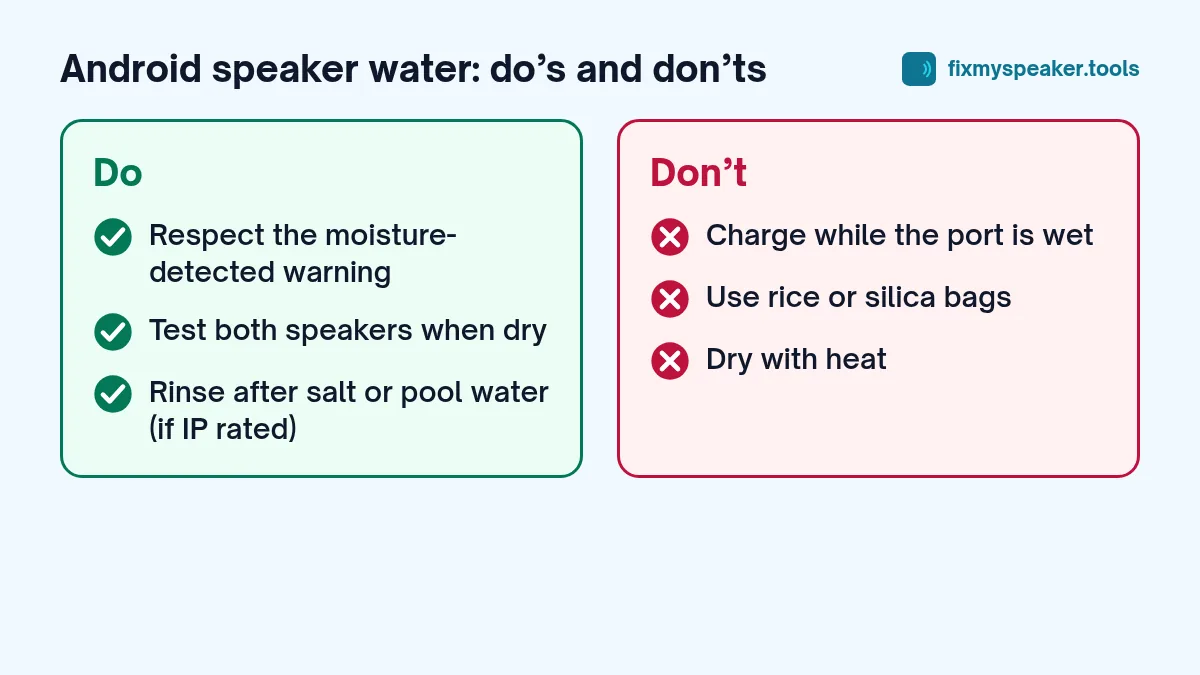
- Rice and silica gel packets inside closed bags. They do far less than people expect, and rice leaves dust in ports. Open air is better.
- Heat. No hair dryers, ovens, microwaves, radiators or leaving it in direct sun. Heat damages batteries and adhesives.
- Poking the grill. Cotton buds and pins can damage the fine mesh.
Samsung-specific tips
- Check your model’s rating. Galaxy S and Note flagships from recent years are generally IP68, as are many recent A-series models such as the Galaxy A5x line. Some cheaper A-series and M-series phones have lower or no ratings. You can find the exact rating on Samsung’s spec page for your model.
- Samsung Members diagnostics. The Samsung Members app has a Diagnostics section with speaker and earpiece tests. It is a quick way to confirm whether each speaker works once the phone is dry.
- Dolby Atmos and equaliser. If audio sounds odd after drying, check that you have not accidentally changed the sound settings. Go to Settings, Sounds and vibration, Sound quality and effects.
Salt water and other liquids
Salt water is harder on a phone than fresh water because salt crystals stay behind and attract moisture. Samsung’s guidance for its water-resistant models is to rinse the phone gently in fresh water after exposure to salt water or chlorinated water and then dry it thoroughly. The same goes for sticky drinks. After rinsing, play the water eject tone again to clear the grill.
When the speaker still sounds bad
If the speaker is still distorted a day later, water probably isn’t the problem anymore. Possible causes include:
- Dried residue or dust in the grill. See how to clean dust from a phone speaker grill.
- A damaged speaker driver, often after a drop combined with water exposure.
- A software issue, which you can rule out by testing in Safe Mode.
Our guide to speaker crackling causes and fixes helps you narrow it down, and if nothing works, see when to go to a repair shop.
Frequently asked questions
The moisture warning won’t go away, but the phone is dry. What now?
Restart the phone first; the sensor sometimes needs a fresh check. If the warning still appears, look into the USB-C port with a torch. Lint packed into the port can hold moisture or confuse the sensor. Remove it gently with a wooden toothpick, never metal.
Does Samsung have a built-in water eject feature?
Samsung phones don’t have a dedicated water eject button. The Samsung Members app can test the speakers, and a browser tool like Fix My Speaker handles the water eject part.
Should I remove the SIM tray to help it dry?
On water-resistant Galaxy models, leave it in. The tray has its own seal, and removing it while the phone is wet gives water a new way in. On phones without a rating, removing it can help air reach that opening.
How do I know if my Galaxy is water resistant?
Check the specification page for your exact model on Samsung’s website, or look in the user manual. The rating is listed as IP68, IP67 or similar. If there’s no rating listed, treat the phone as not water resistant.
Summary
- Remove the case and wipe the phone dry.
- Respect the moisture warning and do not charge it.
- Run the Water Eject mode at full media volume, speaker facing down.
- Repeat for the earpiece if your phone has stereo speakers.
- Air dry in moving air, no heat, no rice.
- Test both speakers when dry.
With a little patience, most Android phones recover completely from a wet speaker.