If your iPhone has been splashed, dropped in a sink or taken into the shower, the bottom speaker can suddenly sound thin, crackly or muffled. In most cases that is not damage. It is a small amount of water sitting in the speaker grill and the tiny acoustic chamber behind it, and it can usually be cleared in a few minutes.
This guide walks through what to do right away, how to push water out of the speaker with sound, and the habits that make things worse.
First, check how wet the phone really is
There is a big difference between a few drops on the speaker and a phone that sat at the bottom of a pool. Before doing anything else:
- Take it out of the water and out of the case. Cases trap moisture against the ports and the frame.
- Wipe it down with a soft, lint-free cloth. Pay attention to the bottom edge, where the speaker, microphone and charging port sit.
- Do not plug it in. If your iPhone shows a “Liquid Detected” alert when you connect a cable, unplug it and let the port dry.
Every iPhone since the iPhone 7 has some level of water resistance, and recent models are rated IP68. That rating is tested in fresh water under lab conditions, and it gets weaker as seals age or the phone gets dropped. So even a “waterproof” phone can let water into the speaker opening. The good news is that the speaker itself is designed to cope with this; the opening is meant to get wet and dry out again.
Step 1: Let gravity do some of the work
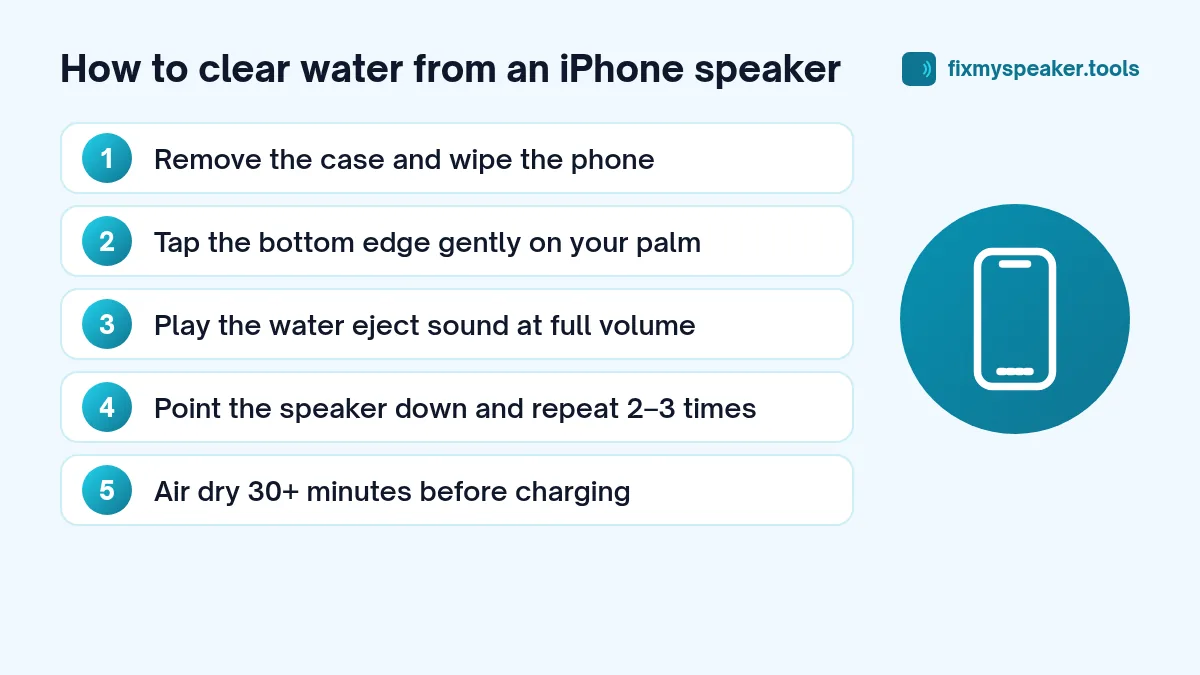
Hold the iPhone with the bottom edge pointing down. Gently tap the phone against the palm of your other hand a few times. Apple recommends exactly this for the charging port, and it also helps the speaker grill drain.
Do not shake the phone hard or swing it. You will not get more water out, and you risk dropping it.
Step 2: Use sound to push water out of the speaker
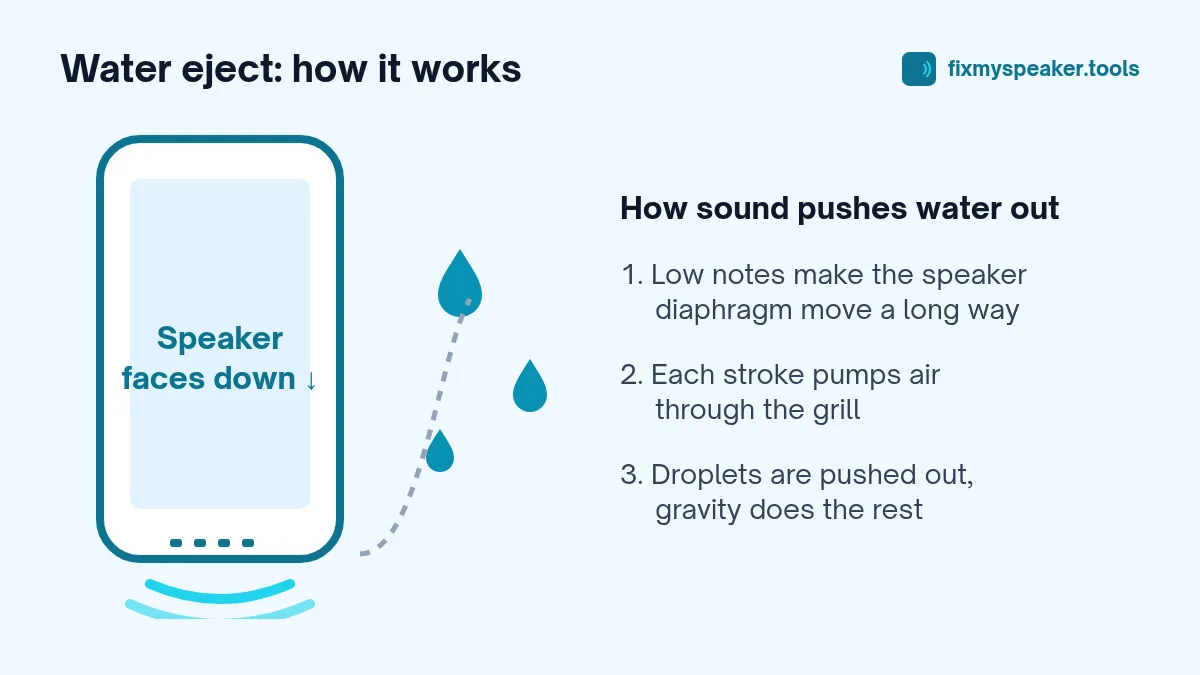
A speaker works by moving a thin diaphragm back and forth. At a low frequency like 165 Hz, the diaphragm moves a relatively long distance with every cycle, and that movement pushes air through the grill. Water droplets caught in the mesh get pushed out with it. This is the same idea behind the Water Lock feature on Apple Watch, which plays a series of tones to clear its speaker.
To try it:
- Open the Fix My Speaker water eject tool in Safari.
- Take the case off and turn the volume all the way up.
- Hold the phone with the speaker grill facing down, over a towel.
- Tap Eject Water and let it run for the full cycle.
- Wipe off any droplets that appear on the grill, then run it once or twice more if the sound is still muffled.
You will often see tiny drops collect on the grill during the first 20 or 30 seconds. That is a good sign. If you want to know more about why this works and where its limits are, read does the 165 Hz water eject tone really work.
Don’t forget the earpiece
The earpiece at the top of the screen is also a speaker on most iPhones, and it doubles as the second stereo speaker when you play media. If calls sound muffled, hold the phone with the top edge pointing down and run the tool again. Use the Stereo Test mode to check whether both speakers sound normal afterwards.
Step 3: Let it air dry
Sound clears the grill, but it cannot dry the inside of the phone. After you have played the tone, leave the iPhone somewhere dry with a bit of airflow. A spot in front of a fan set to cool is fine. Apple’s own guidance is to wait at least 30 minutes before charging with a cable, and up to a day if the Liquid Detected alert keeps coming back.
What not to do
A lot of common advice is either useless or harmful. Avoid these:
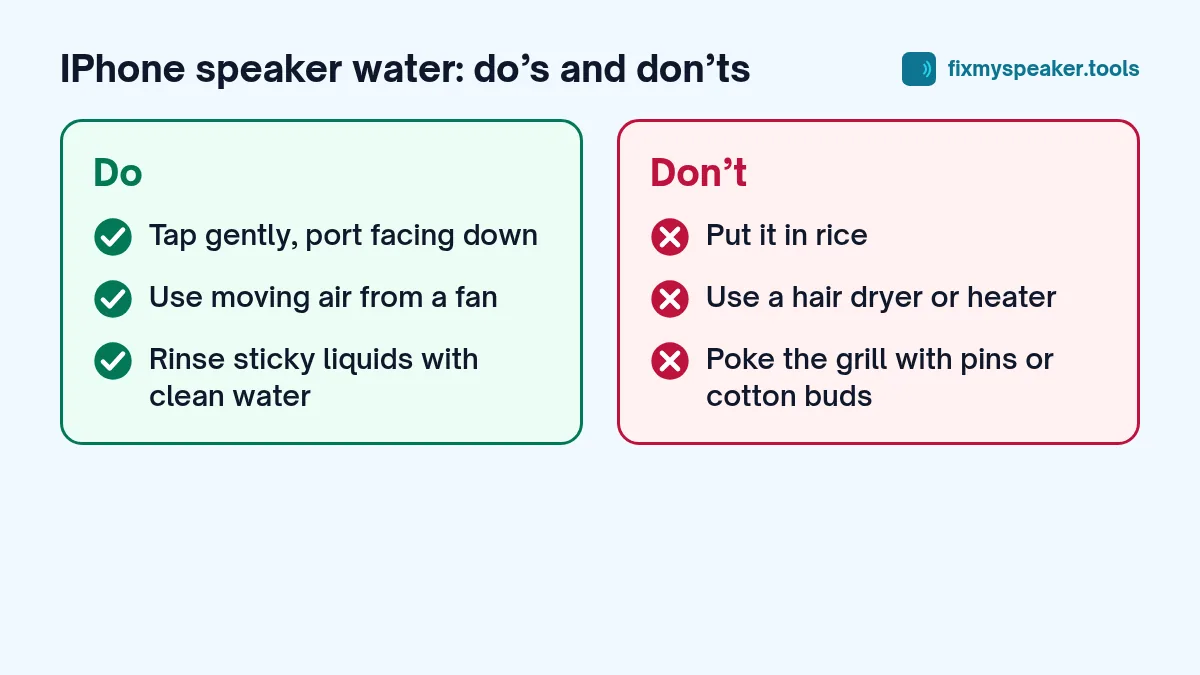
- Rice. Apple specifically advises against putting an iPhone in a bag of rice. Rice is a poor drying agent and can leave dust and starch in the ports. Open air works better. We explain why in phone fell in water: first steps and myths.
- Hair dryers and heaters. Heat can damage the battery, soften adhesive seals and warp the display. Compressed air is also risky; it can drive water deeper and damage the microphone membrane.
- Cotton buds and pins. Poking a cotton swab, toothpick or SIM tool into the speaker can tear the mesh or leave fibres inside.
- Charging while wet. Corrosion happens much faster when current flows through a wet connector.
Salt water, pool water and other liquids
Fresh water is the easiest case. Salt water, chlorinated pool water, tea, juice and soft drinks leave residue as they dry. Sugar and salt crystals can build up in the speaker mesh and keep it sounding muffled even after the phone is dry.
Apple’s guidance for liquids other than water is to rinse the affected area with tap water and then dry the phone as described above. That may feel strange, but a short rinse with clean water is better than letting sticky residue harden in the grill. After that, run the speaker cleaner again to clear the fresh water out.
How long until it sounds normal again?
For a phone that was only splashed, the speaker is usually back to normal within a few minutes of playing the tone, or after an hour of air drying. A phone that was fully submerged may take a few hours, and the sound can improve gradually as the inside dries.
If the sound is still distorted after 24 hours, the problem may be something other than water. The speaker could be clogged with dried residue or lint, or the driver itself may be damaged. Our guide on why a phone speaker sounds muffled covers the other usual causes, and when to go to a repair shop explains the signs that it is time for a professional.
What about the iPhone “Water Eject” shortcut?
You may have seen a Shortcut called “Water Eject” shared online. It is not a built-in Apple feature; it is a community-made shortcut that plays a similar low tone. It works on the same principle as this tool. The main difference is that a web tool needs no installation and works on Android too. We compare them in detail in iPhone Water Eject shortcut vs an online tool.
Frequently asked questions
Can I use the tool while the “Liquid Detected” alert is showing?
Yes. The alert is about the charging port, not the speaker. Playing sound doesn’t involve the port, so you can run the water eject cycle straight away. Just leave the cable unplugged until the alert stops appearing.
My iPhone sounds fine on speaker but calls are muffled. Why?
That points to the earpiece at the top of the screen rather than the bottom speaker. Run the tool again with the top edge facing down, and check that a screen protector isn’t covering the earpiece slot. Our guide to an earpiece speaker muffled on calls covers this in detail.
Will running the tone void my warranty?
No. Playing sound through the speaker is ordinary use. What usually isn’t covered by warranty is liquid damage itself, which is why it’s worth drying the phone properly rather than charging it while wet.
Is it safe to use with a MagSafe or wireless charger instead of a cable?
Apple’s guidance focuses on not connecting a Lightning or USB-C accessory while the port is wet. Even so, the safest choice after a full dunk is to wait until the phone has dried before charging it in any way.
Quick checklist
- Remove the case and wipe the phone.
- Do not charge it.
- Tap the bottom edge gently against your palm.
- Run the Fix My Speaker Water Eject mode at full volume, speaker facing down.
- Repeat for the earpiece if calls sound muffled.
- Air dry for at least 30 minutes, longer after a full dunk.
- If the sound has not recovered after a day, get it checked.
Water in the speaker is one of the most common iPhone problems, and in most cases it is also one of the easiest to fix. A little patience usually does more than any trick.