Portable Bluetooth speakers are built for the beach, the pool and the balcony, and many of them are genuinely waterproof. Even so, a speaker that has been in water can sound muffled, buzzy or quieter than usual until the water is out of the grille and the passive radiators. Here is how to get it back to normal.
Check whether your speaker is actually waterproof
Many popular speakers, including several JBL Flip, Charge, Clip and Go models and various Sony, Ultimate Ears and Anker speakers, carry an IP67 or IPX7 rating. That means they were tested for submersion in fresh water to around one metre for 30 minutes.
Many budget speakers, including some Boat, Zebronics and unbranded models, are only IPX4 or IPX5, which covers splashes and rain but not dunking. Some have no rating at all.
Check the box, the manual or the product page. If your speaker is only splash resistant and it went into a pool, switch it off and give it much longer to dry before you try it.
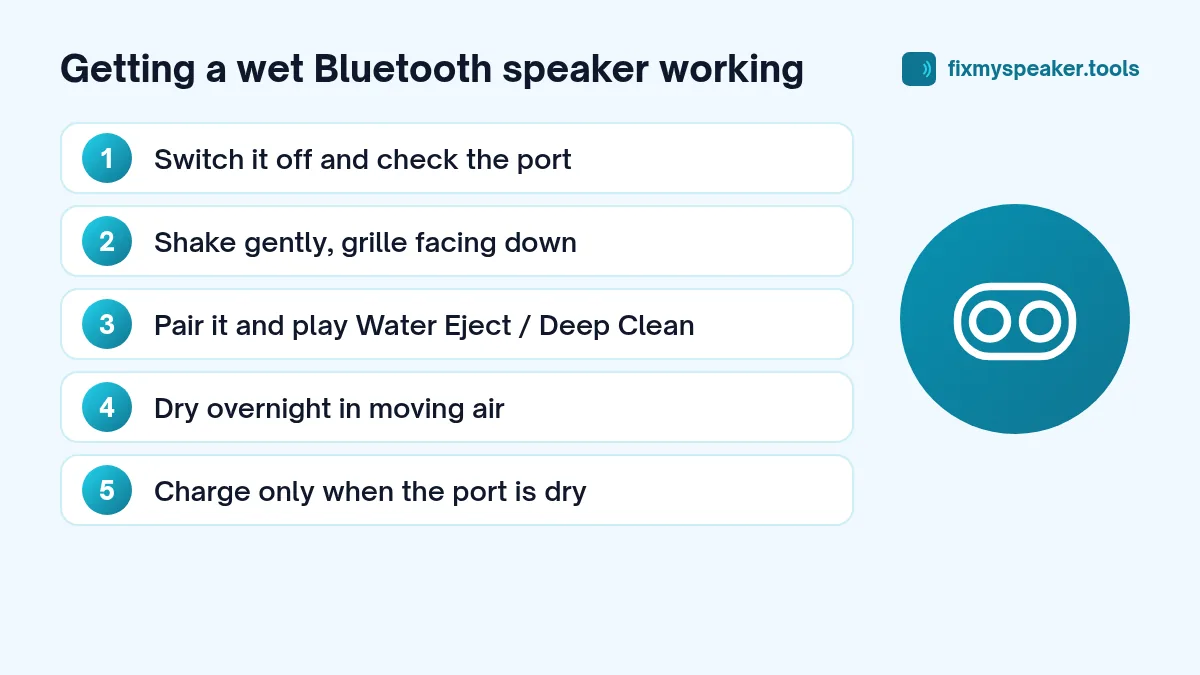
Step 1: Switch it off and close or check the port
- Turn the speaker off.
- If your speaker has a rubber flap over the charging port, make sure it was closed. If it was open when the speaker got wet, the port is wet too.
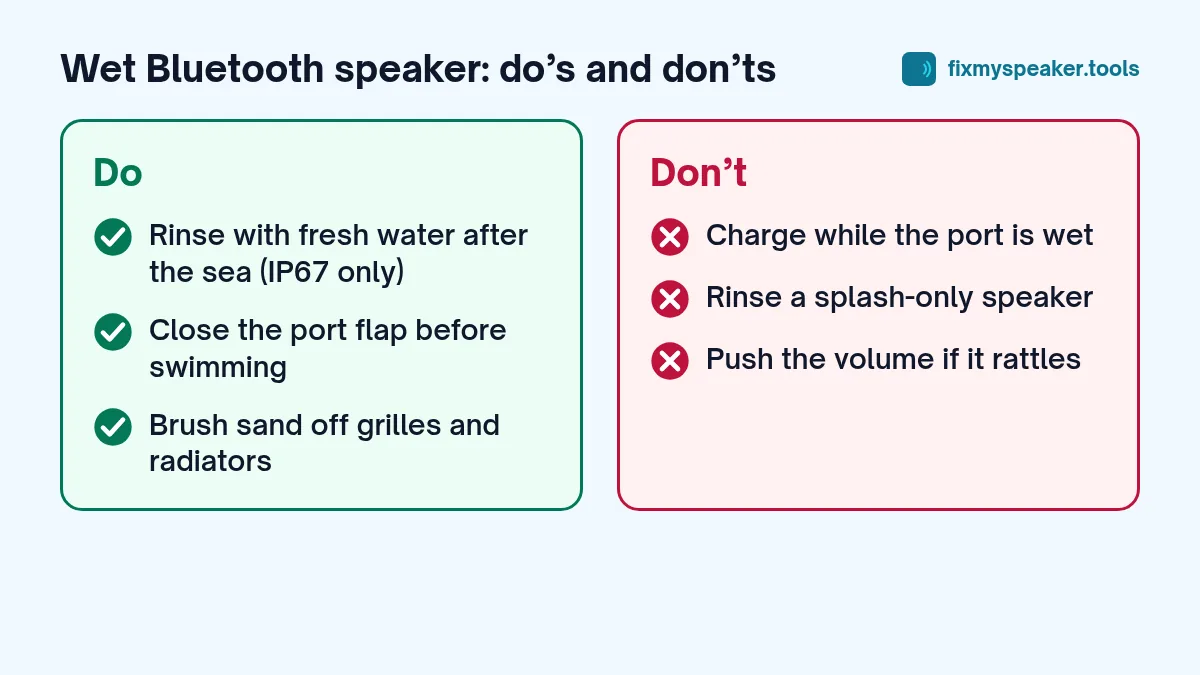
- Do not charge it until the port is completely dry. Charging a wet USB port is one of the most common ways these speakers get damaged.
Many recent speakers have an exposed USB-C port that is sealed internally instead of a flap. These are designed to get wet, but the port still needs to be dry before you plug in a cable.
Step 2: Drain the water
- Shake the speaker gently with the grille facing down.
- Wipe the outside with a dry cloth.
- Turn it so each side faces down for a minute, especially the ends where passive radiators (the rubber discs that bounce with the bass) are located.
Step 3: Use sound to clear the grille
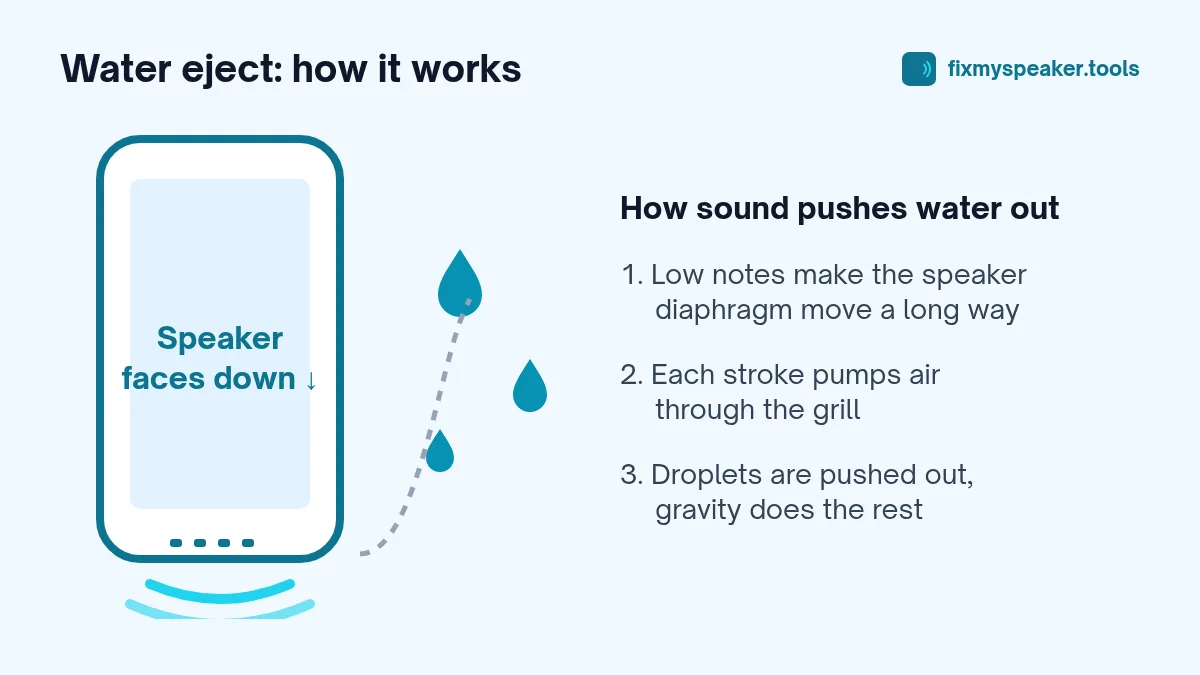
Speakers like the JBL Flip and Charge move a lot of air, so playing a low tone pushes water out of the grille quite effectively. Some JBL models flick water off their passive radiators when you play bass-heavy music, and you may have seen videos of this.
To do it on purpose:
- Turn the speaker on and pair it with your phone.
- Open the Fix My Speaker tool on your phone.
- Set the speaker volume to around three quarters at first, then raise it if it sounds clean.
- Point the speaker grille down, or lay it so the passive radiator faces down.
- Play the Water Eject mode. For larger speakers, the Deep Clean mode’s low pulses also help shift water from the radiators.
- Repeat once or twice, wiping off the drops.
Stop if you hear rattling or harsh distortion. A full speaker can move a lot of air, and if there is water inside the enclosure, it is better to let it dry than to push it too hard.
Note: Bluetooth adds a small delay, so the progress ring on your phone may be slightly ahead of the sound. That’s normal.
Step 4: Let it dry fully
Leave the speaker in a dry place with good airflow for several hours, ideally overnight. Position it so water can drain from the grille. Keep it out of hot sun, away from heaters, and don’t use a hair dryer; heat can damage the battery and warp the rubber seals.
Salt water, pool water and drinks
Salt and chlorine are the real enemies of outdoor speakers. When salt water dries it leaves crystals in the grille and around the port. These can keep the sound muffled and cause corrosion over time.
Several manufacturers recommend rinsing a waterproof speaker with clean fresh water after it has been in the sea or a pool, then drying it. Check your speaker’s manual first, and only do this if your speaker is rated IP67 or IPX7, with the port cover closed if it has one. Splash-resistant speakers shouldn’t be rinsed.
Sticky drinks like soda or juice should be wiped off quickly with a damp cloth, then dried, because sugar residue hardens in the grille.
Muffled sound after drying
If the speaker is dry but still sounds dull:
- Check the grille. Sand and grit from the beach collect in fabric and metal grilles. A soft, dry brush or a lint roller over fabric grilles works well.
- Check the passive radiators. If they have sand stuck to them, wipe gently with a dry cloth. Don’t press hard on them.
- Reset the speaker. Most models have a button combination for a factory reset that clears audio settings. It’s in the manual.
- Check the app. Brands like JBL and Sony have apps with equalisers. A changed EQ setting can make a speaker sound muffled.
- Try a cable if your speaker supports AUX input, to rule out Bluetooth issues.
Signs of real damage
Water damage in a Bluetooth speaker usually shows up as:
- The speaker won’t charge, or charges only at certain cable angles.
- Crackling or popping at all volumes.
- The speaker turns off by itself.
- One driver sounds dead in a stereo speaker.
You can use the Stereo Test to check left and right on speakers that have two drivers. See also speaker crackling causes and fixes and when to go to a repair shop.
Prevention
- Close any port flap before you take the speaker near water.
- Rinse with fresh water after the beach or the pool if the manual allows.
- Don’t charge it straight after swimming.
- Store it dry.
Frequently asked questions
My JBL speaker floats. Does that mean it’s safe to drop in the pool?
Some models are designed to float, but floating and being sealed are different things. Even an IP67 speaker is only tested for limited depth and time in fresh water, and chlorine affects the seals over time. Rinse it afterwards if the manual allows, and dry it before charging.
The speaker turns on but makes no sound after getting wet. What should I do?
Turn it off and let it dry for a full day. Then try a factory reset using the button combination in the manual, re-pair it, and test it with a cable if it has an AUX input. If there is still no sound, the amplifier or driver may be damaged.
Can I use a hair dryer on the cool setting?
It’s better not to. Even cool air from a hair dryer can push water deeper into the grille. A fan at a short distance does the job without that risk.
Why does bass sound weaker after the speaker got wet?
Water or sand on the passive radiators stops them moving freely, which reduces bass. Play the Deep Clean mode in the speaker cleaner, then let the speaker dry and gently wipe the radiators.