Apple Watch is one of the few devices with an official, built-in way to push water out of its speaker using sound. It’s called Water Lock, and it’s the same principle as the Fix My Speaker water eject tone, built right into watchOS.
What Water Lock does
Water Lock does two things:
- While it’s on, it locks the touch screen so water droplets don’t trigger accidental taps during swimming or showers.
- When you turn it off, the watch plays a series of tones that push water out of the speaker opening. You may feel the watch vibrate and see tiny drops appear near the speaker on the side.
Apple Watch models from Series 2 onward are water resistant and can be used for shallow-water activities like swimming, according to Apple. The watch can automatically turn on Water Lock when you start a swimming workout.

How to turn Water Lock on
- On the watch, open Control Center. On recent versions of watchOS, press the side button; on older versions, swipe up from the bottom of the watch face.
- Tap the water drop icon.
The screen locks and a water drop icon appears at the top of the display.
How to turn it off and eject water
How you turn it off depends on your watchOS version:
- Recent watchOS versions: Press and hold the Digital Crown until the screen says the watch is unlocked.
- Older watchOS versions: Turn the Digital Crown until the screen says it’s unlocked.
The watch plays the water ejection tones as it unlocks. Hold your wrist with the speaker pointing down to help the water drain.
Water Lock and swimming workouts
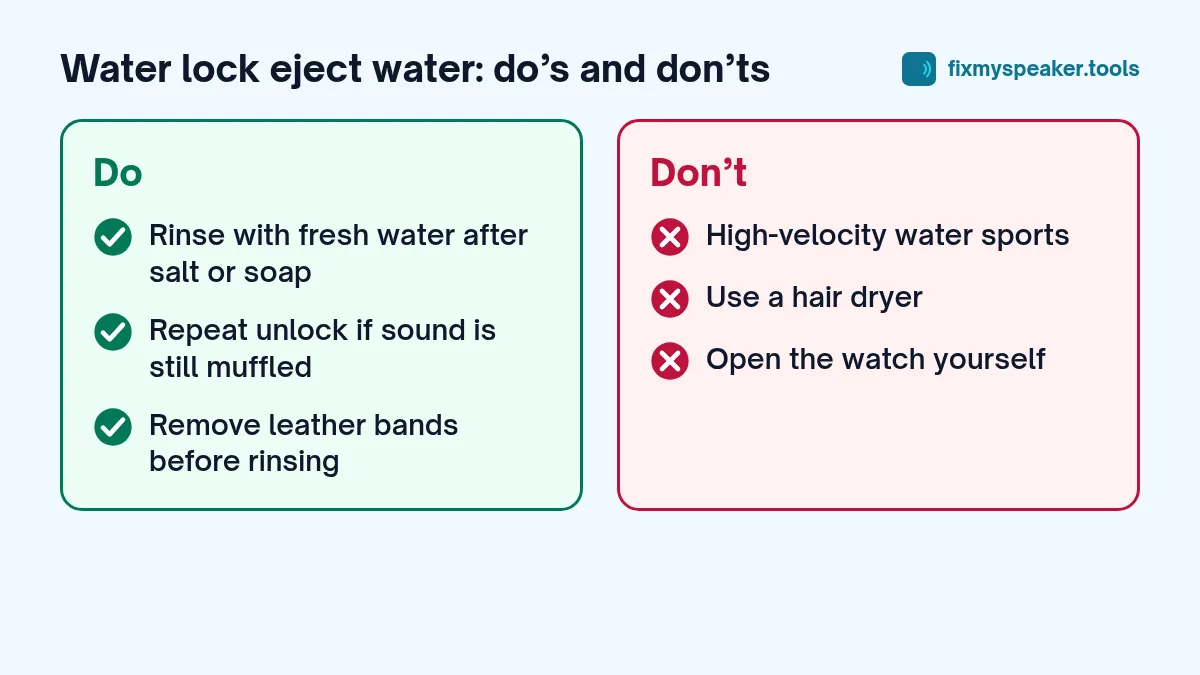
If you start a Pool Swim or Open Water Swim workout in the Workout app, the watch turns on Water Lock automatically. When you finish, unlock it with the Digital Crown as described above and the watch will eject the water. It’s a good habit to keep your wrist turned so the speaker faces down while the tones play, and to repeat the unlock once more if alarms or Siri sound muffled afterwards.
Water Lock is also useful if you’re washing your hands or doing dishes with the watch on, simply to stop water drops from pressing buttons on the screen.
When to use it
- After swimming or showering with your watch.
- After a run in heavy rain.
- Whenever the watch speaker or alarm sounds muffled after getting wet.
You can turn Water Lock on and off just to eject water, even if you didn’t use it during the activity. Running it a couple of times helps if the speaker still sounds dull.
Can you use Fix My Speaker on an Apple Watch?
Apple Watch doesn’t run a full web browser that can play audio in the same way, so use the built-in Water Lock instead. It’s designed for the watch’s speaker and is the best option.
Fix My Speaker is for phones, tablets, laptops and portable speakers. If your iPhone got wet at the same time, use the iPhone water guide and the Water Eject tool for the phone.
What Water Lock can’t do
Water Lock clears water from the speaker opening. It doesn’t dry the inside of the watch, and it can’t fix damage. Apple advises that Apple Watch shouldn’t be used for high-velocity water activities such as water skiing or for scuba diving, except models specifically designed for diving such as Apple Watch Ultra. Water resistance also decreases over time and after drops.
Salt water, soap and chlorine
Apple recommends rinsing your watch with fresh water after exposure to things like soap, shampoo, sunscreen, lotion, perfume, salt water and chlorinated water, then drying it with a lint-free cloth. These substances can affect the seals and the acoustic membranes. Some bands, such as leather bands, aren’t water resistant and should be removed before rinsing.
The watch still sounds muffled
If the speaker is still dull after a few Water Lock cycles:
- Give it a few hours to air dry.
- Gently wipe the speaker openings on the side of the watch with a dry, lint-free cloth.
- Check the volume in Settings, Sounds and Haptics on the watch.
- Restart the watch.
- Make sure Silent Mode isn’t on, which mutes alerts.
If the sound doesn’t recover after a day, contact Apple Support or an authorised service provider. The watch’s speaker isn’t something you can safely access at home.
Common mistakes
- Turning on Water Lock only after the watch is already wet. It’s still worth using afterwards to eject water, but turning it on before swimming also prevents accidental taps.
- Pressing the crown repeatedly instead of holding it. On recent watchOS versions, you need to press and hold until the watch says it’s unlocked.
- Holding the watch speaker-up. Let gravity help by pointing the speaker opening down while the tones play.
- Drying the watch with heat. As with phones, heat can damage the battery and seals.
When Water Lock won’t fix it
If the speaker or microphone still sounds muffled after several cycles and a day of drying, or if Siri can’t hear you, water or residue may be sitting deeper in the acoustic openings. Rinse the watch with fresh water if it was exposed to soap or salt, dry it, and try again. If it still doesn’t improve, contact Apple Support.
Frequently asked questions
Does Water Lock affect the heart rate sensor?
Water Lock only locks the screen and ejects water from the speaker. Health sensors keep working as normal.
Can I use Water Lock in the shower every day?
Water Lock is fine to use, but soap, shampoo and hot water aren’t good for the seals over time. Apple recommends rinsing with fresh water after exposure to soap and similar products.
Why doesn’t my watch play the ejection sound?
Make sure you are unlocking Water Lock using the Digital Crown, not just waiting for the screen. The tones play during the unlock, so keep the speaker facing down and listen for them before lowering your wrist.
Does Water Lock work on other smartwatches?
Water Lock is an Apple Watch feature. Some other smartwatches have their own water lock or touch lock modes that stop accidental taps, but not all of them play tones to eject water. Check your watch’s manual or settings for a water lock option. If your watch has a speaker but no ejection feature, shake it gently with the speaker facing down, dry it with a lint-free cloth and leave it to air dry. Don’t use a hair dryer or heat.
The same idea on other devices
Water Lock is the clearest example of a manufacturer using sound to clear water from a speaker, which is why the technique is trusted. Some Xiaomi phones include a similar Clear speaker feature (see our Redmi and Xiaomi guide). For everything else, the Fix My Speaker tool offers the same approach in your browser. If you’re curious about the physics, read does the 165 Hz tone really work.