It happens to almost everyone eventually: the phone slips into a toilet, a bucket, a puddle or the sea. What you do in the next few minutes makes a real difference, and much of the advice you’ll hear from friends is outdated. Here’s what actually helps.
In the first minute
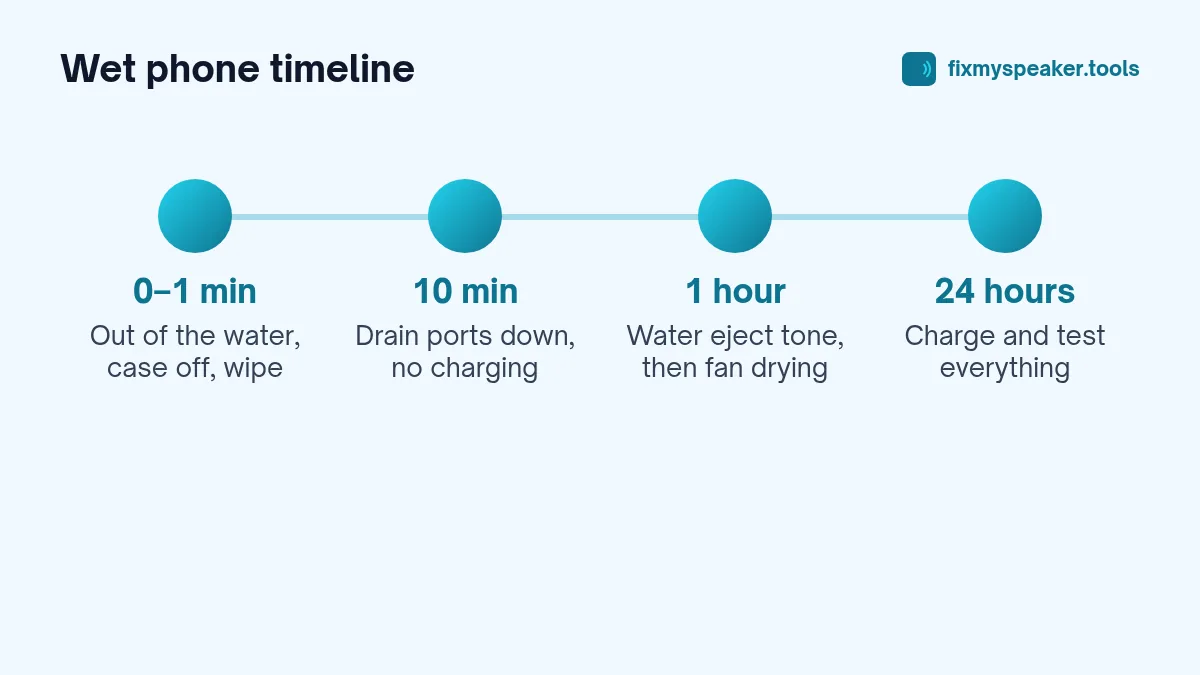
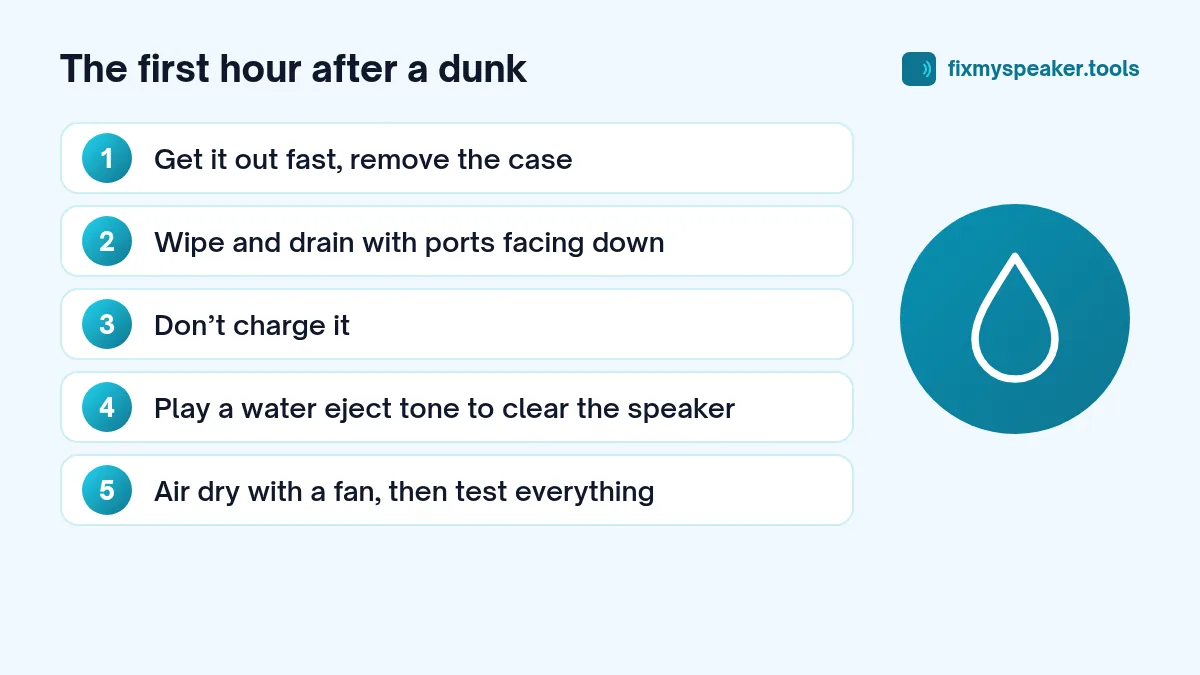
- Get it out quickly. The longer it stays submerged, the more pressure pushes water past the seals.
- Don’t press buttons or shake it violently. Pressing buttons can push water further in.
- If it’s off, leave it off. Don’t try to turn it on to “check”.
- If it’s on and was fully submerged, consider switching it off, especially if it is not water resistant or if it was in salt water. If it was just splashed, you can leave it on.
- Remove the case and any accessories.
In the first ten minutes
- Wipe the outside with a soft, absorbent cloth or paper towel.
- Hold it with the ports facing down and tap it gently against your palm to let water drain out of the charging port, speaker and microphone holes.
- Remove the SIM tray if your phone isn’t water resistant, so air can reach that opening. On water-resistant phones, the tray has its own seal and you can leave it.
- Do not charge it. Many phones will warn you about moisture in the port. Respect that warning.
If the phone was in salt water, pool water or a sugary drink, the residue causes more damage than the water itself. For water-resistant phones, both Apple and Samsung advise rinsing gently with fresh tap water and then drying. Don’t do this with phones that aren’t water resistant.
In the first hour
If the phone is on and working, play a tone to push water out of the speaker grille. Open the Fix My Speaker tool, turn the volume up to maximum, point the speaker down and tap Eject Water. Run it two or three times, then do the same with the earpiece facing down. This clears the openings so the sound comes back and air can circulate.
Then leave the phone in a dry room with moving air. A fan on a cool setting, pointed at the phone from a short distance, is ideal.
The next 24 hours
- Leave the phone to air dry. Water-resistant phones that were only briefly dunked are often fine within an hour or two. Others need much longer.
- Wait at least 30 minutes after a splash, and several hours or overnight after a full dunk, before charging with a cable. If your phone supports wireless charging, check what your manufacturer advises; the safest option is still to wait.
- Once it’s dry, test everything: speakers, microphone, cameras, buttons, touch screen, charging and Wi-Fi.
The myths
Myth: Put it in a bag of rice
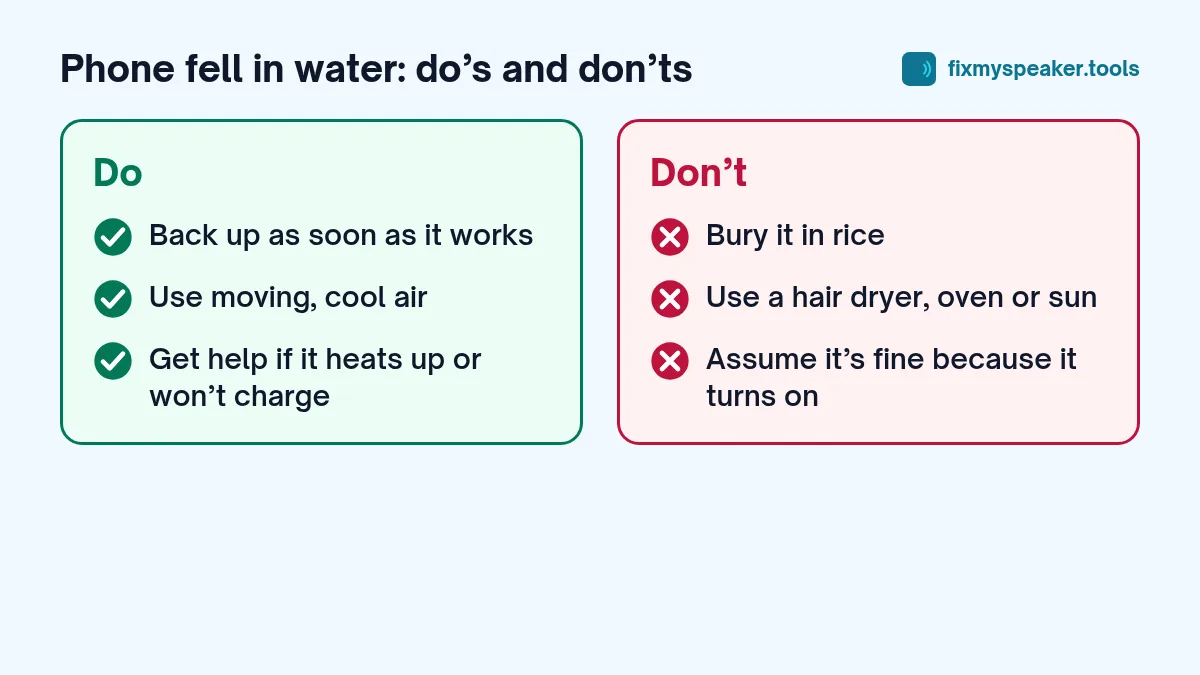
This is the most famous advice, and it doesn’t work well. Rice absorbs moisture from the air around it, but it can’t pull water out of a sealed phone any faster than open air can. Informal drying tests published by repair companies have generally found that open air does as well as rice, or better. Rice also leaves starch dust and small fragments in ports and speaker grilles. Apple’s support guidance specifically says not to put an iPhone in a bag of rice.
If you want to use something, silica gel packets in an open container do slightly more than rice, but moving air is still the main thing.
Myth: Use a hair dryer to speed it up
Hot air can damage the battery, soften the adhesive that seals the display and back glass, and even warp parts. Even on a cool setting, a hair dryer can push water deeper. Skip it.
Myth: Put it in the sun, the oven or on a radiator
All forms of heat carry the same risks. Phones also overheat quickly in direct sun.
Myth: If it turns on, it’s fine
A phone can work for days and then fail as corrosion slowly develops on the board. If your phone wasn’t water resistant and was fully submerged, keep an eye on it for a week or two. Back up your data as soon as you can.
Myth: IP68 means it’s waterproof
IP ratings are measured in fresh water in a lab, on new phones, for a limited time and depth. Seals weaken with age, drops and repairs. Water resistance also isn’t covered by most warranties. An IP68 phone has a very good chance of surviving a dunk, but it’s not guaranteed.
When to get professional help
Take your phone to a service centre or a reputable repair shop if:
- It won’t turn on after drying, or it turns on and off by itself.
- The screen has spots, lines or patches that weren’t there before.
- It gets unusually warm while idle.
- It won’t charge after it’s fully dry.
- It was in salt water or a sugary liquid and isn’t water resistant.
A technician can open the phone, clean corrosion from the board and replace damaged parts. The sooner this happens after the accident, the better the odds. See when to go to a repair shop for what to expect.
Your data
If the phone works, back it up right away. If it doesn’t, your data may still be recoverable by a repair specialist, as long as the storage chip is undamaged. This is one more reason to set up automatic cloud backups before you need them.
Frequently asked questions
Should I turn the phone on to back it up immediately?
If it’s still on and working, back it up as soon as you can. If it’s off, wait until it has dried for several hours before turning it on, especially if it isn’t water resistant. Powering on a wet board can cause short circuits.
Does putting the phone in front of an AC unit help?
Dry, moving air helps, so a spot near a fan or air conditioner on a cool setting is fine. Avoid placing it directly on a vent or near anything that blows hot air.
My phone survived, but the camera is foggy. What should I do?
Fog inside the lens usually means moisture got inside the camera module. Leave the phone to dry in a warm (not hot) room for a day. If the fog doesn’t clear, have it checked, because moisture inside the phone can cause other damage over time.
Is water damage covered by phone insurance?
That depends on your policy. Many accidental damage plans cover liquid damage while standard manufacturer warranties usually don’t. Check your policy before paying for a repair yourself.
Summary
- Get it out, remove the case, wipe it.
- Drain it with the ports facing down.
- Don’t charge it.
- Play a water eject tone to clear the speaker.
- Air dry with a fan. No rice, no heat.
- Wait before charging, then test everything.
- Get help if anything behaves strangely.
For device-specific steps, see our guides for iPhone and Samsung and Android.