Earbuds go everywhere with us, which means they end up in pockets that go through the washing machine, in sweaty gym bags and occasionally in a glass of water. If your AirPods or other wireless earbuds got wet, the first few minutes matter, and some popular advice can make things worse.
An important safety note first
Speaker cleaning tones, including the ones on Fix My Speaker, are meant for phone, tablet, laptop and portable speakers. Never play a cleaning tone through earbuds or headphones while they are in your ears. A loud continuous tone at close range can be uncomfortable and may harm your hearing. Earbud drivers are also tiny and are not designed to be driven hard with test tones.
The good news is that earbuds usually don’t need a cleaning tone. Their openings are small, and gravity, a dry cloth and time do most of the work.
Step 1: Get them out and stop using them
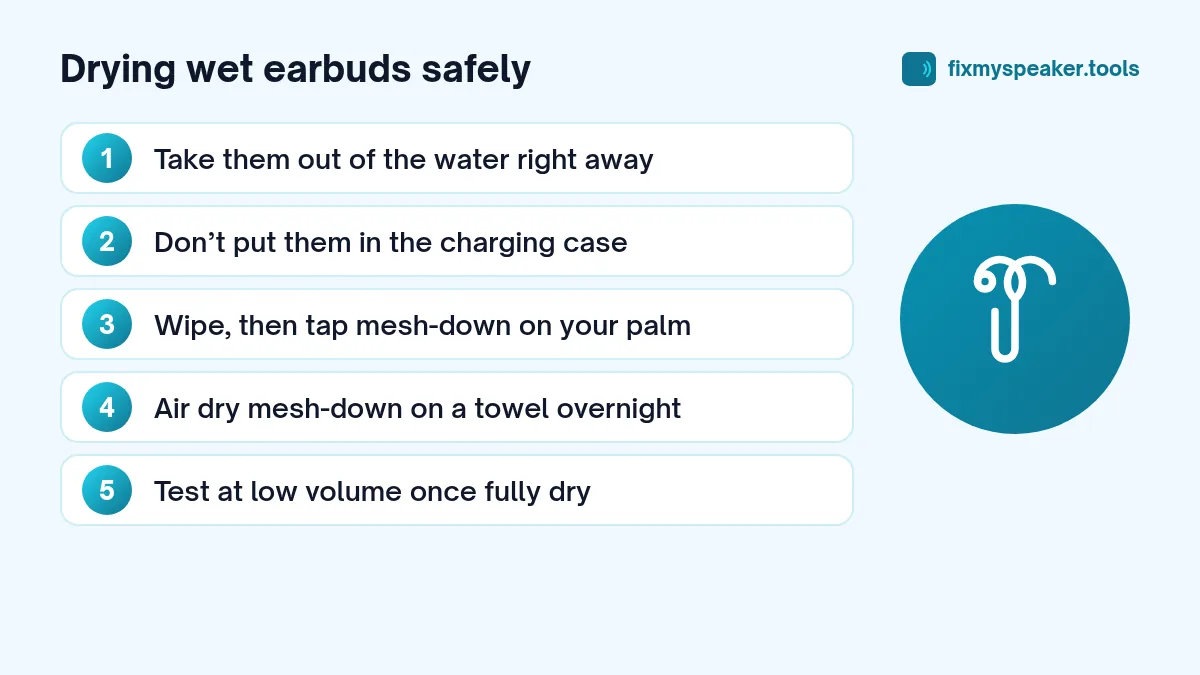
- Take the earbuds out of the water straight away.
- If they are paired and connected, disconnect them, or simply put your phone’s Bluetooth off for a while.
- Don’t put wet earbuds into the charging case. The case has charging contacts, and you don’t want water bridging them.
Step 2: Wipe and drain
- Wipe each earbud with a soft, dry, lint-free cloth.
- Hold each bud with the speaker mesh (the part that goes in your ear) facing down and tap it gently against your palm a few times.
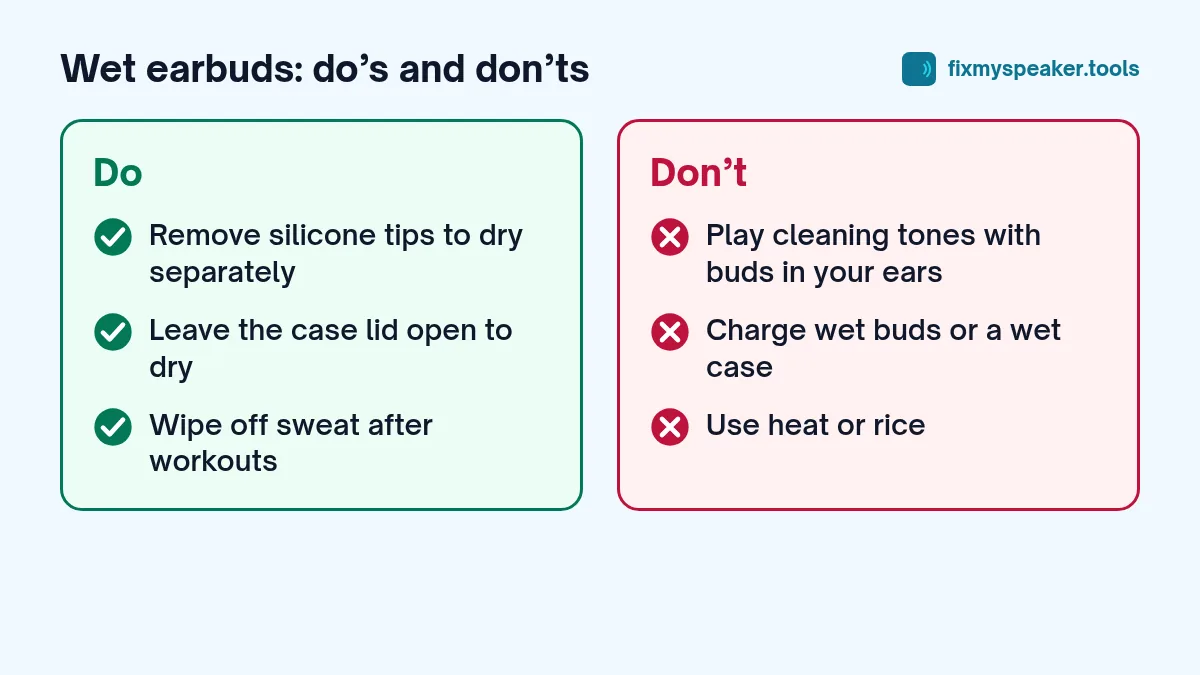
- If your earbuds have silicone tips, remove the tips and dry them and the nozzle separately.
Don’t push anything into the mesh. Cotton buds and pins can tear it or push water and wax deeper.
Step 3: Air dry
Place the earbuds mesh down on a dry towel in a room with good airflow. Leave them for several hours, and ideally overnight, before putting them back in the case or using them.
Avoid hair dryers, radiators and direct sunlight. Heat can damage the small batteries inside. Rice is also a poor choice: it absorbs little moisture and can leave dust in the mesh and the charging contacts.
If the charging case got wet
The case is often less water resistant than the earbuds themselves. If it got wet:
- Open the lid and turn it upside down to drain.
- Wipe it with a dry cloth, especially around the charging port and the contacts inside.
- Leave it open to air dry for at least a day before charging it or putting the buds back in.
What about water resistance ratings?
Most earbuds are rated for sweat and splashes, not submersion. Many AirPods models, for example, are rated IPX4, and Apple states that they are not designed for use in showers or swimming. Some sports earbuds have higher ratings like IPX7 or IP57. Even then, ratings apply to fresh water, and seals can weaken over time.
If you’re unsure, check your model’s specification page. A rating only tells you what the earbuds were tested for, not what they’ll survive every time.
AirPods went through the washing machine
This is one of the most common accidents. The combination of water, detergent, heat and tumbling is harsh, but earbuds sometimes survive it.
- Remove them from the drum and dry the outside.
- Don’t charge or use them.
- Dry them for at least a full day, case lid open.
- Then test them at low volume.
Detergent residue can leave the sound slightly muffled even once the earbuds are dry. A very gentle brush with a soft, dry toothbrush over the mesh can help. If sound is still clearly worse, the mesh may be clogged inside, which is not something you can fix at home.
How to tell if they are damaged
Once fully dry, test at low volume:
- Is one bud quieter than the other? Play a normal song at low volume and compare. On iPhone, Settings, Accessibility, Audio and Visual has a balance slider; Android has a similar audio balance option under Accessibility. Make sure it is centred and that Mono Audio is off. Don’t use loud test tones for this with the buds in your ears.
- Crackling or buzzing that wasn’t there before often points to water or residue near the driver.
- Charging problems, like a bud that doesn’t charge or a case that drains quickly, may mean corrosion on the contacts.
- Microphone issues on calls can mean water in the mic port, which often clears as it dries.
If one bud has clearly failed, many manufacturers sell single replacement buds, which costs less than a full set.
Wired earbuds and headphones
The same rules apply: unplug them, wipe, drain with the drivers facing down and air dry. Wired earbuds have no battery, so the risk is lower, but the drivers are still delicate. Over-ear headphones with foam cushions take longer to dry; remove the ear pads if they come off easily.
Prevention tips
- Keep earbuds in their case when they are not in your ears.
- Wipe them after workouts; sweat contains salt that slowly builds up in the mesh.
- Check your pockets before laundry.
- If you swim or run in the rain often, choose earbuds with a higher water rating.
When drying won’t be enough
Some situations are beyond what home drying can fix:
- Saltwater submersion. Salt left behind can corrode the tiny contacts and the battery connection.
- A long wash cycle with hot water. Heat and detergent together are harder on the seals and the battery than a quick dunk.
- The case was submerged while charging contacts were wet. Corrosion on the case contacts is a common cause of buds that stop charging later.
- Swelling or a strange smell. If an earbud or the case looks swollen or smells odd, stop using it. Battery damage is a safety issue.
In these cases, contact the manufacturer. Many brands sell replacement single buds or cases, and some offer paid repair.
Frequently asked questions
Can I use the speaker cleaner to dry my earbuds if I don’t wear them?
We don’t recommend it. Earbud drivers are tiny and aren’t built to be driven with loud test tones, and it’s easy to put them in your ears by habit while a tone is playing. Gravity, a towel and time are safer.
How long should I wait before charging?
Wait until both the buds and the case are completely dry. That’s usually at least several hours, and a full day is a safer choice after submersion or a wash.
One bud works and the other doesn’t. Is it the water?
Possibly. Give it a full day to dry, clean the charging contacts gently with a dry cloth, then reset the earbuds following the manufacturer’s instructions. If one bud still doesn’t work, it may need replacing.